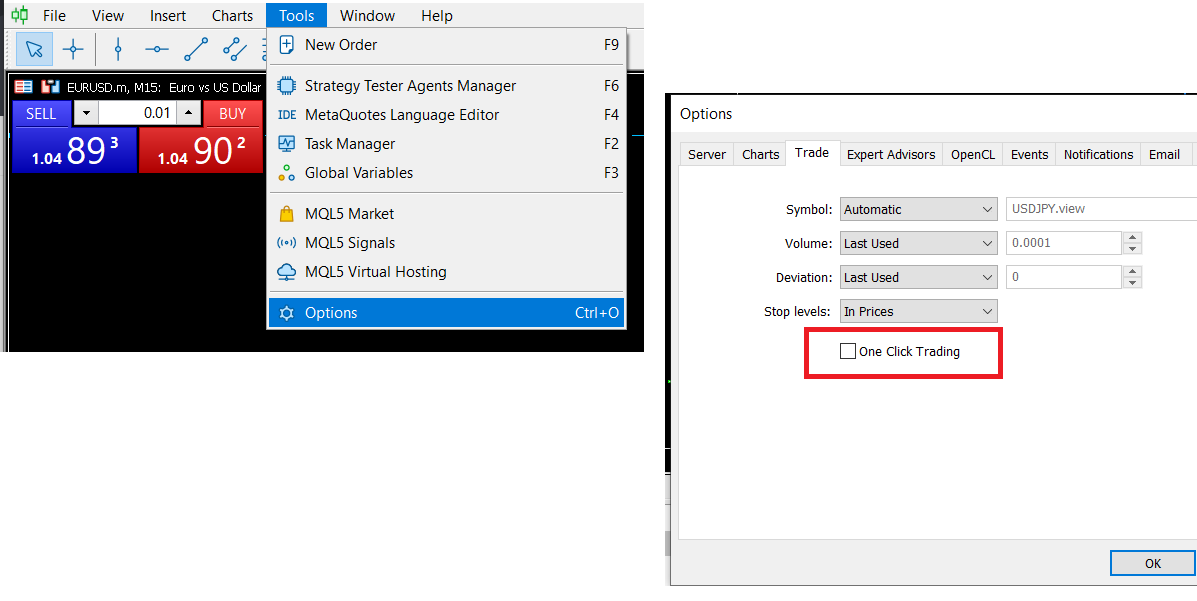
I get asked this question a lot so I decided to create this thread so I show how to easily setup one-click trading on MT5. For those who don't know, one-click trading is a high speed feature where you do not need additional confirmation when you click on the buy or sell buttons etc.
1. Go to your MT5 taskbar and click on "Tools"
2. Click on "Options"
3. Click on "One-click trading"
With these 3 steps, you should be able to activate one-click trading on MT5.