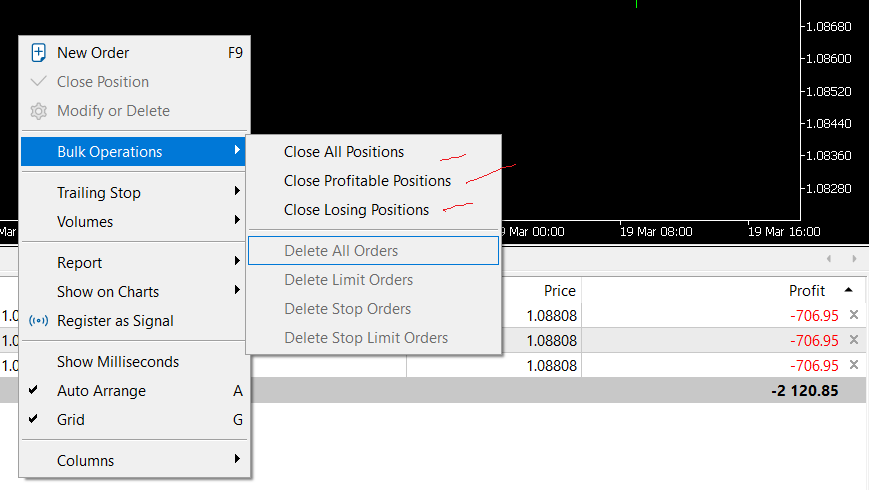
To close all your trades immediately, use the MT5 Bulk Operations feature.
Start by right-clicking on the trade toolbox panel at the bottom of your chart, then click on "Bulk Operations", then "Close All Positions".
If you cannot see the trade toolbox panel/window use CTRL+T to display it. The trade toolbox panel is where your account balance is displayed alongside margin, profit/loss etc.
You can even opt to close all winning positions only or close all losing positions only. This feature is unique to MT5 and is super-helpful when speed is of the essence.