TradingView Alternatives (Other Free Charting Tools and Platforms)
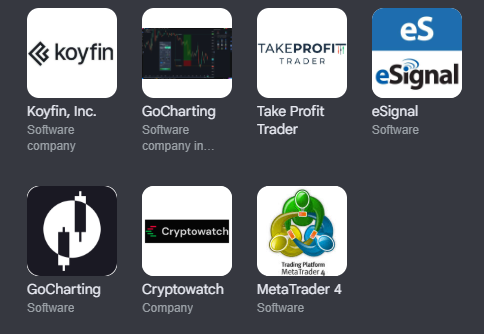
List of Other Free Charting Tools that can serve as TradingView alternative charting platform for Traders (beginners to advanced)

N
@nsg_usd - 10 hours ago

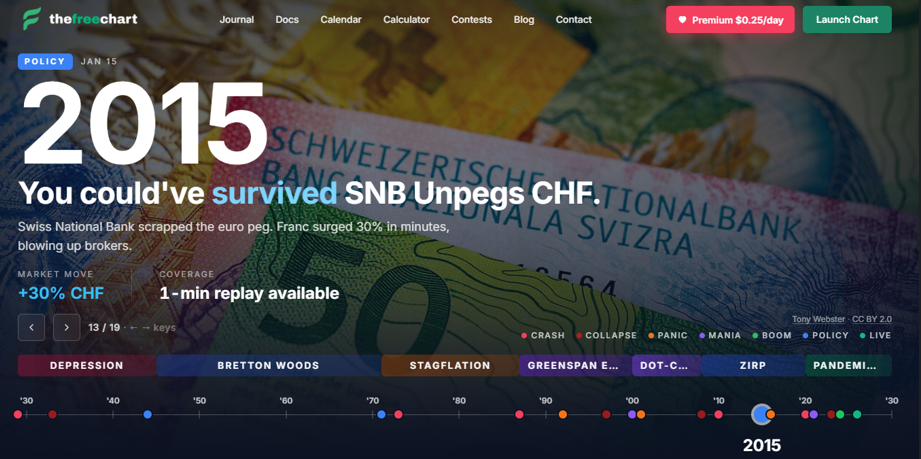
1) TheFreeChart.com
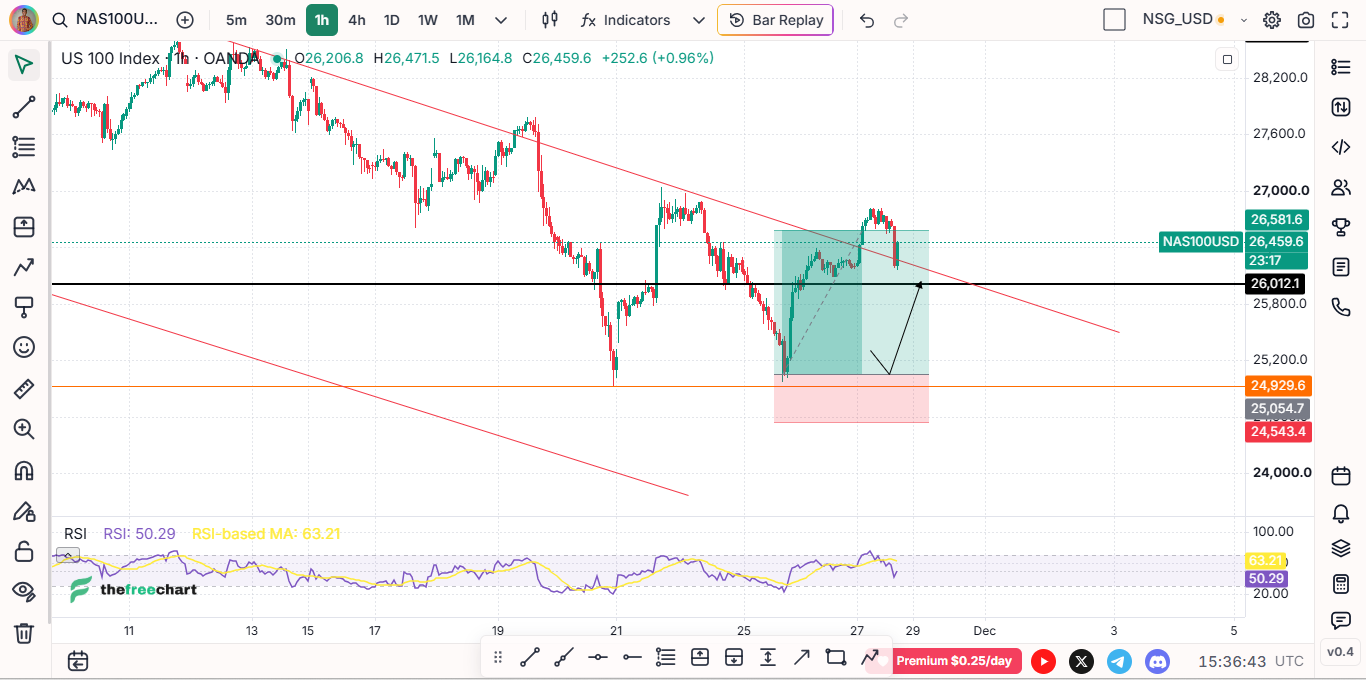
This is the closest charting site with similar TradingView API, analysis tools and Layout that I've seen.
It's easy to sign up on the platform and they share snippets of Market historic crashes on the Landing page of the site.
They do not have a desktop app at the moment, but they have a web app which you can install on your browser.
Pros
They have a free bar replay for backtesting, which is working quite good. I'm yet to experience hitches.
They have position tools (Long and Short) which aids in measuring your Risk-to-reward ratio
Cons
The availability of Financial Assets/instruments are limited. But the popular ones are available.
It sometimes freezes, I've noticed this occasionally, but I'll observe if it is persistent.
You can't create multiple tabs for the instruments like on TradingView except you're doing so on the browser.

Conclusion:
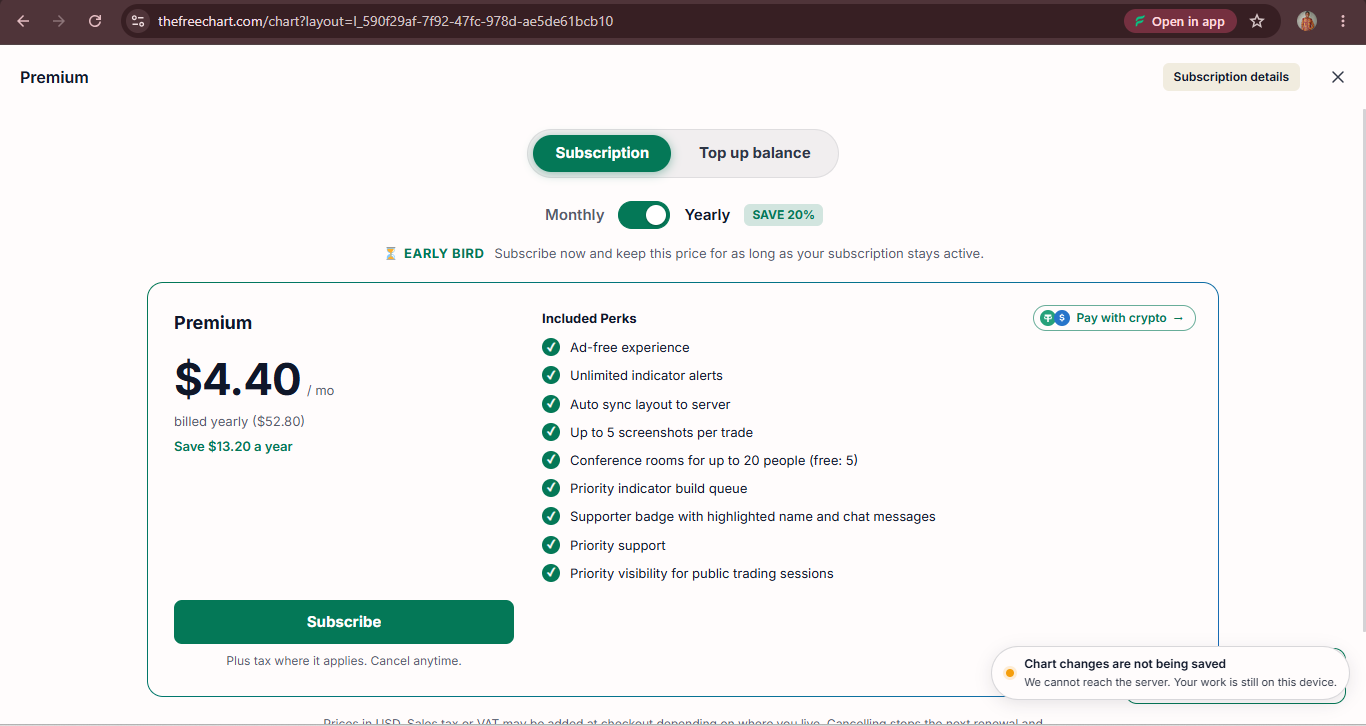
Inasmuch as the chart is free, the platform has a paid version, and when you're newly signed up on the site, you're given a 7-day free trial period which I believe is why the platform is ad free when you're using it for the first time. I'm yet to see any ad pop up, and once it does, I will check out the frequency of the ads if it is convenient or excessive and work disrupting.
Also, I'll keep exploring the features and will drop more updates as I keep using the platform
It's a good site to check out and it is beginner friendly.
However, they still have a lot of work to put in to meet as an eligible strong competitor with TradingView which currently are still the No 1 best Charting platform despite their new updates on the basic plan that has been frustrating a lot of free users.

You can drop your reviews as well, if you're an active user of this platform.

A
@asuquokelvin - 9 hours ago
Quoted - nsg_usd

1) TheFreeChart.com
This is the closest charting site with similar TradingView API, analysis tools and Layout that I've seen.
It's easy to sign up on the platform and they share snippets of Market historic crashes on the Landing page of the site.
They do not have a desktop app at the moment, but they have a web app which you can install on your browser.
Pros
They have a free bar replay for backtesting, which is working quite good. I'm yet to experience hitches.
They have position tools (Long and Short) which aids in measuring your Risk-to-reward ratio
Cons
The availability of Financial Assets/instruments are limited. But the popular ones are available.
It sometimes freezes, I've noticed this occasionally, but I'll observe if it is persistent.
You can't create multiple tabs for the instruments like on TradingView except you're doing so on the browser.

Conclusion:
Inasmuch as the chart is free, the platform has a paid version, and when you're newly signed up on the site, you're given a 7-day free trial period which I believe is why the platform is ad free when you're using it for the first time. I'm yet to see any ad pop up, and once it does, I will check out the frequency of the ads if it is convenient or excessive and work disrupting.
Also, I'll keep exploring the features and will drop more updates as I keep using the platform
It's a good site to check out and it is beginner friendly.
However, they still have a lot of work to put in to meet as an eligible strong competitor with TradingView which currently are still the No 1 best Charting platform despite their new updates on the basic plan that has been frustrating a lot of free users.

You can drop your reviews as well, if you're an active user of this platform.

The freechart.com platform is very good infact they really mimic tradingview but the issue is that there are certain ETF like the SQQQ, the vix index and some others that you can't find there, and thats still gives tradingview that edge over them

G
@godspowerdan - 9 hours ago
Quoted - nsg_usd

1) TheFreeChart.com
This is the closest charting site with similar TradingView API, analysis tools and Layout that I've seen.
It's easy to sign up on the platform and they share snippets of Market historic crashes on the Landing page of the site.
They do not have a desktop app at the moment, but they have a web app which you can install on your browser.
Pros
They have a free bar replay for backtesting, which is working quite good. I'm yet to experience hitches.
They have position tools (Long and Short) which aids in measuring your Risk-to-reward ratio
Cons
The availability of Financial Assets/instruments are limited. But the popular ones are available.
It sometimes freezes, I've noticed this occasionally, but I'll observe if it is persistent.
You can't create multiple tabs for the instruments like on TradingView except you're doing so on the browser.

Conclusion:
Inasmuch as the chart is free, the platform has a paid version, and when you're newly signed up on the site, you're given a 7-day free trial period which I believe is why the platform is ad free when you're using it for the first time. I'm yet to see any ad pop up, and once it does, I will check out the frequency of the ads if it is convenient or excessive and work disrupting.
Also, I'll keep exploring the features and will drop more updates as I keep using the platform
It's a good site to check out and it is beginner friendly.
However, they still have a lot of work to put in to meet as an eligible strong competitor with TradingView which currently are still the No 1 best Charting platform despite their new updates on the basic plan that has been frustrating a lot of free users.

You can drop your reviews as well, if you're an active user of this platform.

I prefer freechart because you backtest for free

N
@nsg_usd - 9 hours ago
Quoted - godspowerdan

Tradingview is better when it comes to assets traded on it, but when it comes to free tools, I give it to freechart

That's a good observation. I noticed the way they customized the tools on freechart it's more interactive.

N
@nsg_usd - 7 hours ago
Quoted - nsg_usd

1) TheFreeChart.com
This is the closest charting site with similar TradingView API, analysis tools and Layout that I've seen.
It's easy to sign up on the platform and they share snippets of Market historic crashes on the Landing page of the site.
They do not have a desktop app at the moment, but they have a web app which you can install on your browser.
Pros
They have a free bar replay for backtesting, which is working quite good. I'm yet to experience hitches.
They have position tools (Long and Short) which aids in measuring your Risk-to-reward ratio
Cons
The availability of Financial Assets/instruments are limited. But the popular ones are available.
It sometimes freezes, I've noticed this occasionally, but I'll observe if it is persistent.
You can't create multiple tabs for the instruments like on TradingView except you're doing so on the browser.

Conclusion:
Inasmuch as the chart is free, the platform has a paid version, and when you're newly signed up on the site, you're given a 7-day free trial period which I believe is why the platform is ad free when you're using it for the first time. I'm yet to see any ad pop up, and once it does, I will check out the frequency of the ads if it is convenient or excessive and work disrupting.
Also, I'll keep exploring the features and will drop more updates as I keep using the platform
It's a good site to check out and it is beginner friendly.
However, they still have a lot of work to put in to meet as an eligible strong competitor with TradingView which currently are still the No 1 best Charting platform despite their new updates on the basic plan that has been frustrating a lot of free users.

You can drop your reviews as well, if you're an active user of this platform.

2) Gocharting.com
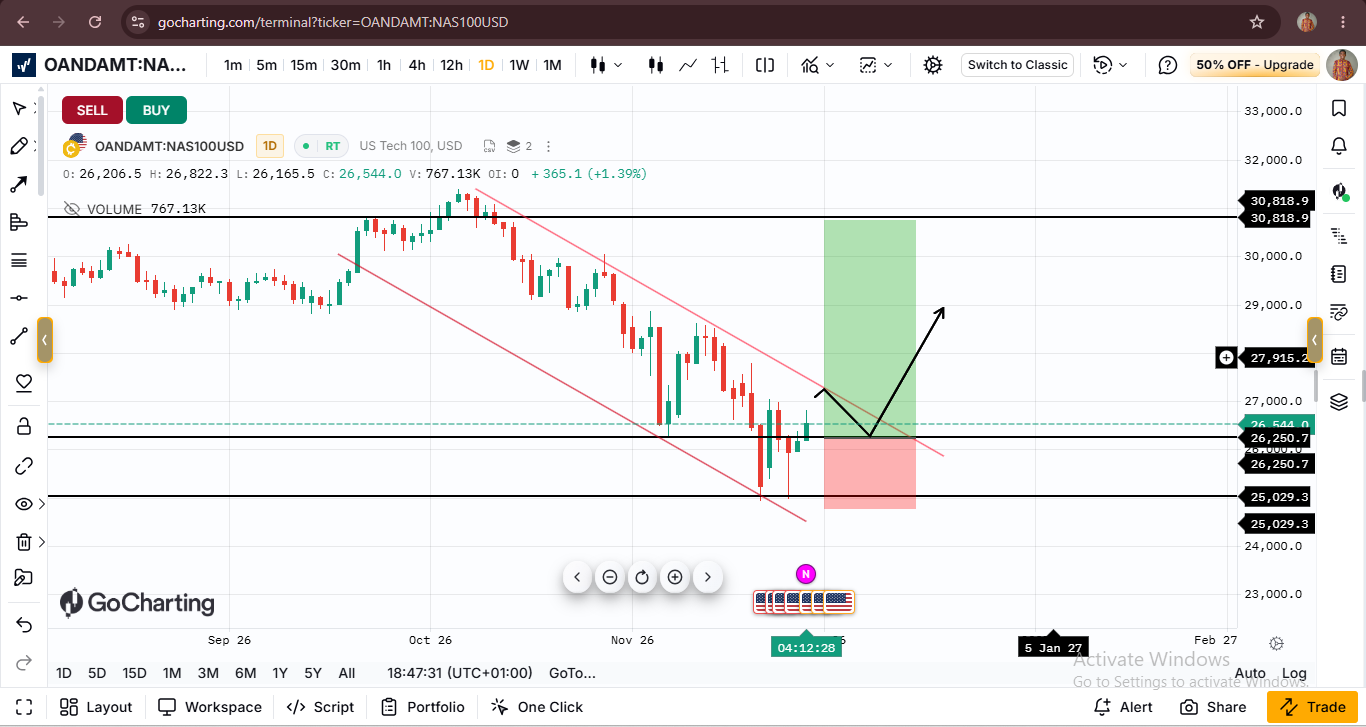
This is another free charting platform that offers free charting tools that helps in Market Analysis.
It's not very beginner-friendly, because you have to understand the icons without their labels.
One remarkable thing I noticed on this site is that Exness has chart feeds on this site.
This means if you trade on Exness broker, you can use their charts on this site to do your analysis.
There are other brokers that offers the chart feeds, but the most predominant is Oanda.
Pros
They have a wider availability of financial assets/instruments than FreeChart, and almost equivalent with TradingView.
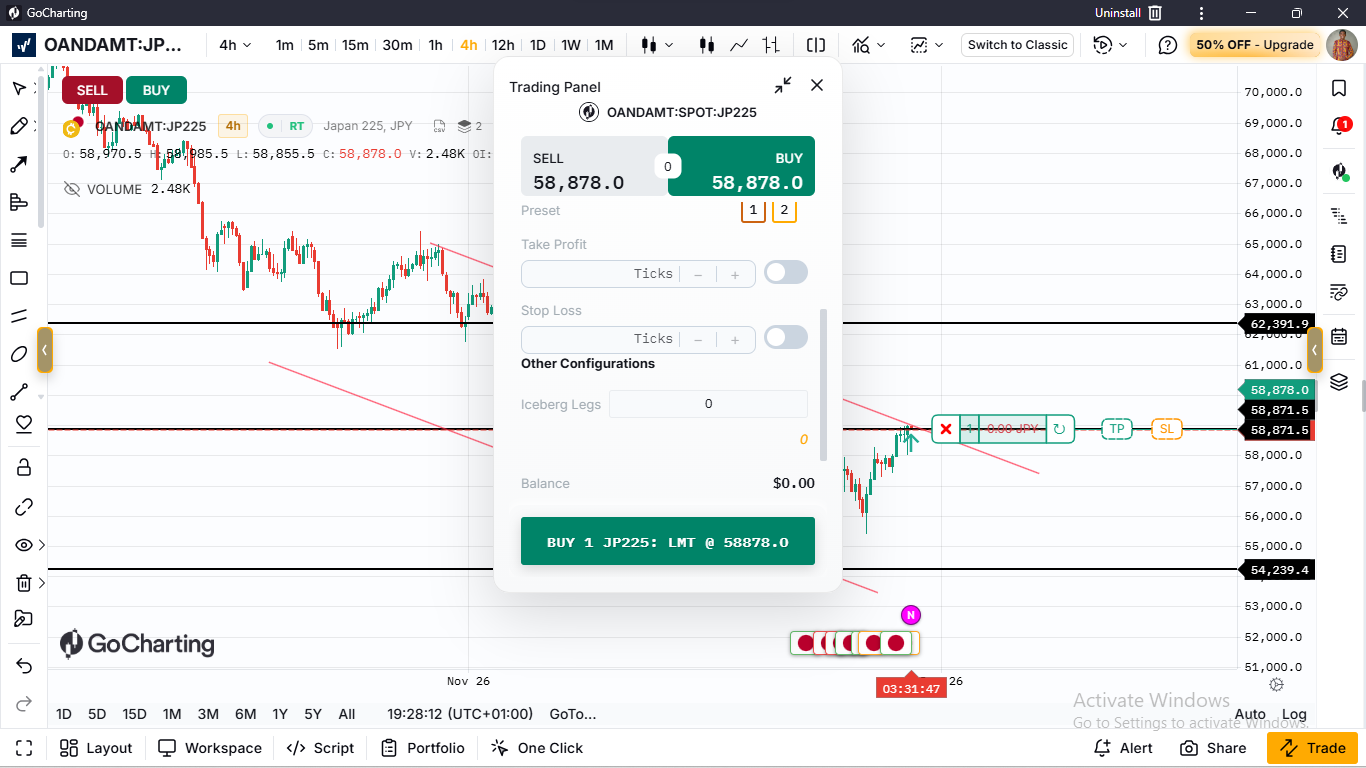
They allow room for simulation trades on the site. You can practice Live execution, not just analysis on the site.
They have a web app for PC, you don't need to download it as a desktop app, and you can use it on your mobile devices as well downloadable from playstore.
They have two types of web terminal for charting. The Orderflow Chart terminal and the Classic (traditional) Chart terminal.
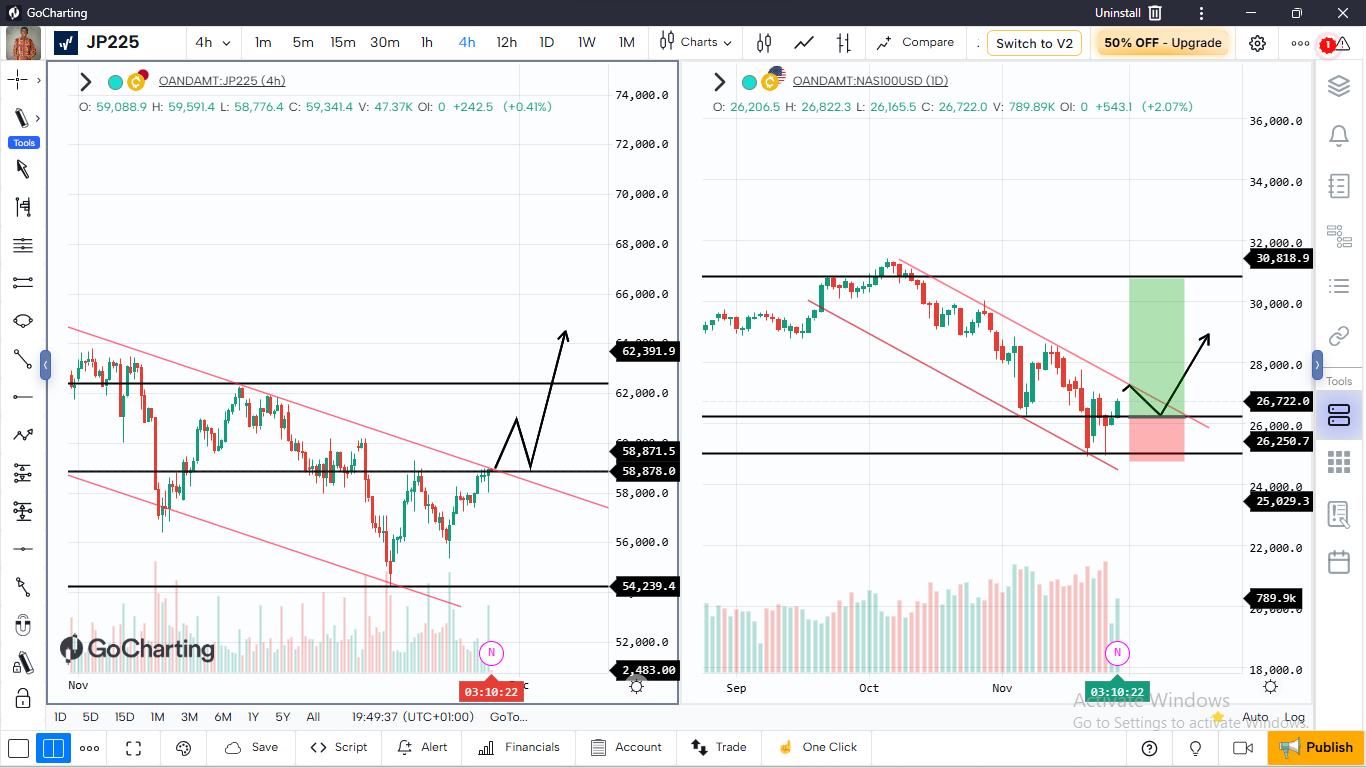
There's room for two column Layouts. i.e you can split your chart layouts for different analysis and its free but multiple layouts is not free. This feature is not free on TradingView.
Cons
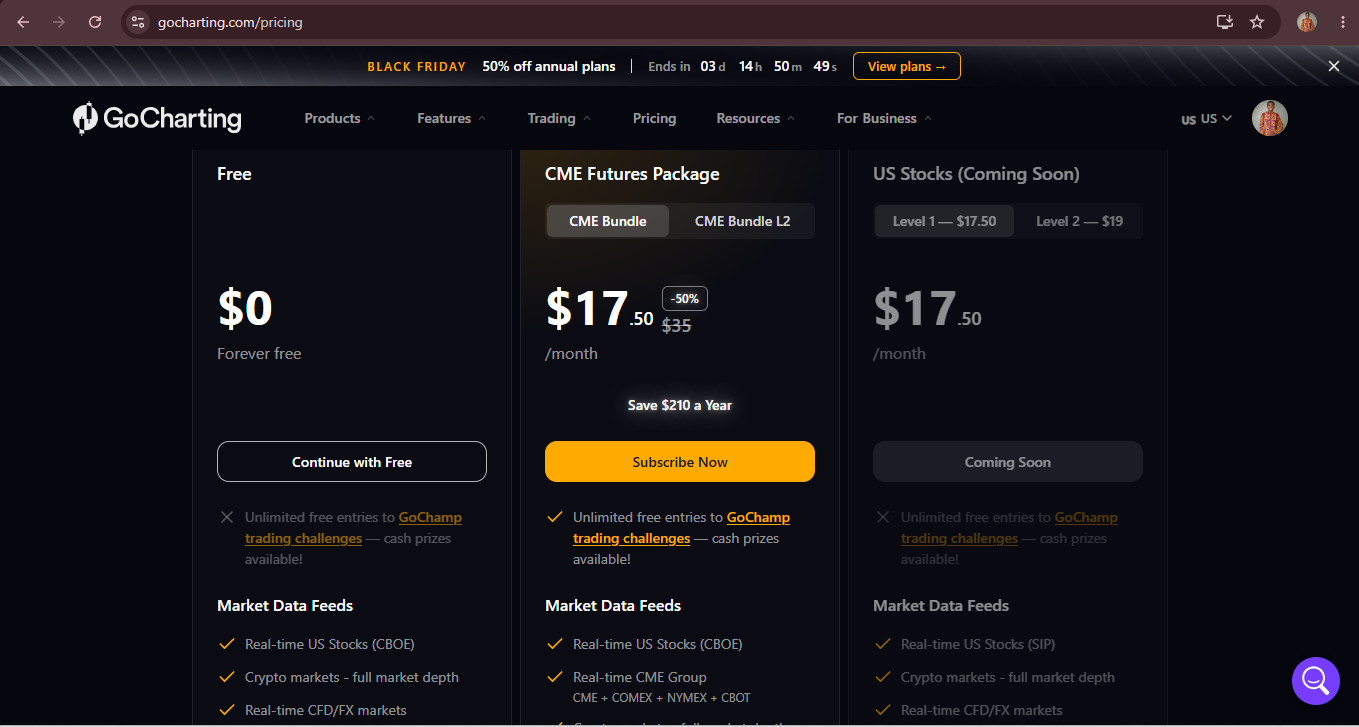
There are limitations on the free versions that can only be accessed on the paid version.
A beginner can't easily navigate the site on first use, because it requires prior charting knowledge and experience with other charting tools.

Conclusion: Overall, this is a good Charting platform that works as a good alternative to TradingView and I'm keen to explore more options on the site.
I've not seen ads display yet, and I'm sure it will start popping up after the free 7 days trial period is over.

You can also share your observations about this charting platform if you're an active User.


A
@asuquokelvin - 6 hours ago
Quoted - nsg_usd

2) Gocharting.com
This is another free charting platform that offers free charting tools that helps in Market Analysis.
It's not very beginner-friendly, because you have to understand the icons without their labels.
One remarkable thing I noticed on this site is that Exness has chart feeds on this site.
This means if you trade on Exness broker, you can use their charts on this site to do your analysis.
There are other brokers that offers the chart feeds, but the most predominant is Oanda.
Pros
They have a wider availability of financial assets/instruments than FreeChart, and almost equivalent with TradingView.
They allow room for simulation trades on the site. You can practice Live execution, not just analysis on the site.
They have a web app for PC, you don't need to download it as a desktop app, and you can use it on your mobile devices as well downloadable from playstore.
They have two types of web terminal for charting. The Orderflow Chart terminal and the Classic (traditional) Chart terminal.
There's room for two column Layouts. i.e you can split your chart layouts for different analysis and its free but multiple layouts is not free. This feature is not free on TradingView.
Cons
There are limitations on the free versions that can only be accessed on the paid version.
A beginner can't easily navigate the site on first use, because it requires prior charting knowledge and experience with other charting tools.

Conclusion: Overall, this is a good Charting platform that works as a good alternative to TradingView and I'm keen to explore more options on the site.
I've not seen ads display yet, and I'm sure it will start popping up after the free 7 days trial period is over.

You can also share your observations about this charting platform if you're an active User.


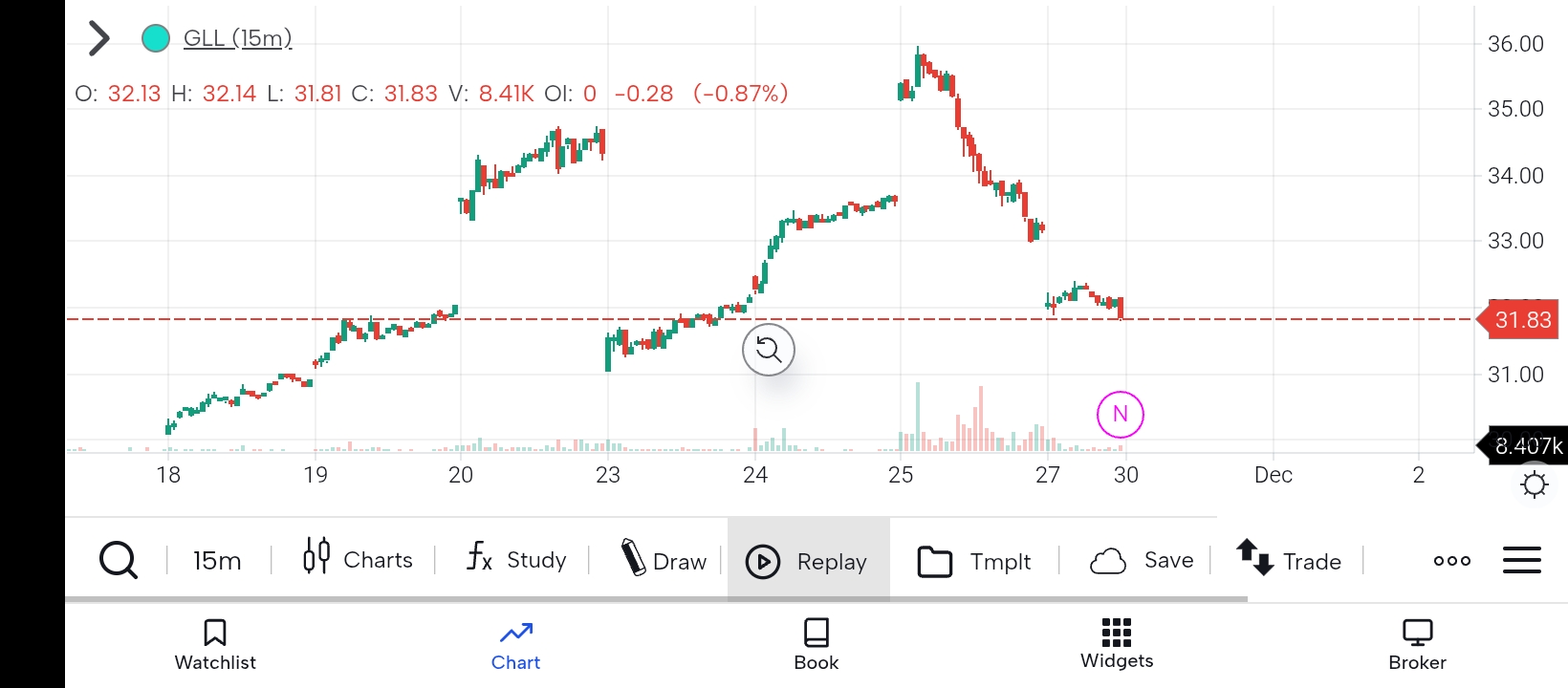
I must say they have many varieties of assets even the GLL pro shares that moves inversely as gold, even the vix index is there too, but the challenge is their interface is not user friendly , I had to sign in before adding a symbol

Disclaimer:

At MyTradingLand.com, we connect you with forex brokers and provide a community for traders. While we offer valuable information and resources, please note that we are not financial advisors and cannot provide personalized financial advice. Always conduct your own research and invest responsibly.

Community Guidelines: The MyTradingLand.com community is designed as a resource for forex traders, promoting respectful and constructive discussions. We reserve the right to remove any content that is misleading, abusive, or violates our terms of service.

Broker Information: While we may receive commissions or advertising income from some of the brokers listed, this does not imply an endorsement of any broker, nor does it affect our review process. Our evaluations are based solely on objective criteria and user feedback.

Always verify the regulatory status of any broker with your local financial authority, along with their terms and privacy policies, before engaging with them. It is crucial to conduct thorough research to ensure that you are making informed decisions.

Risk Warning: At MyTradingLand.com, we strive to provide accurate information; however, the forex market is highly volatile and can change rapidly. It is essential to verify any information before making investment decisions.

Please be aware that trading in forex involves substantial risk, and it is possible to lose more than your trading equity/investment capital. 70-90% of retail CFD traders incur losses in their trading activities as per information from various brokers.

You are solely responsible for your use of MyTradingLand.com and any trading decisions you make. We encourage all users to educate themselves thoroughly about forex trading and to consider seeking advice from qualified financial professionals.

Advertising Disclosure: We may earn commissions from recommended brokers, but our reviews are independent (not influenced by potential earnings). Sponsored content is clearly marked and doesn't reflect our views.

©2026 ©2025 All rights reserved Mytradingland.com